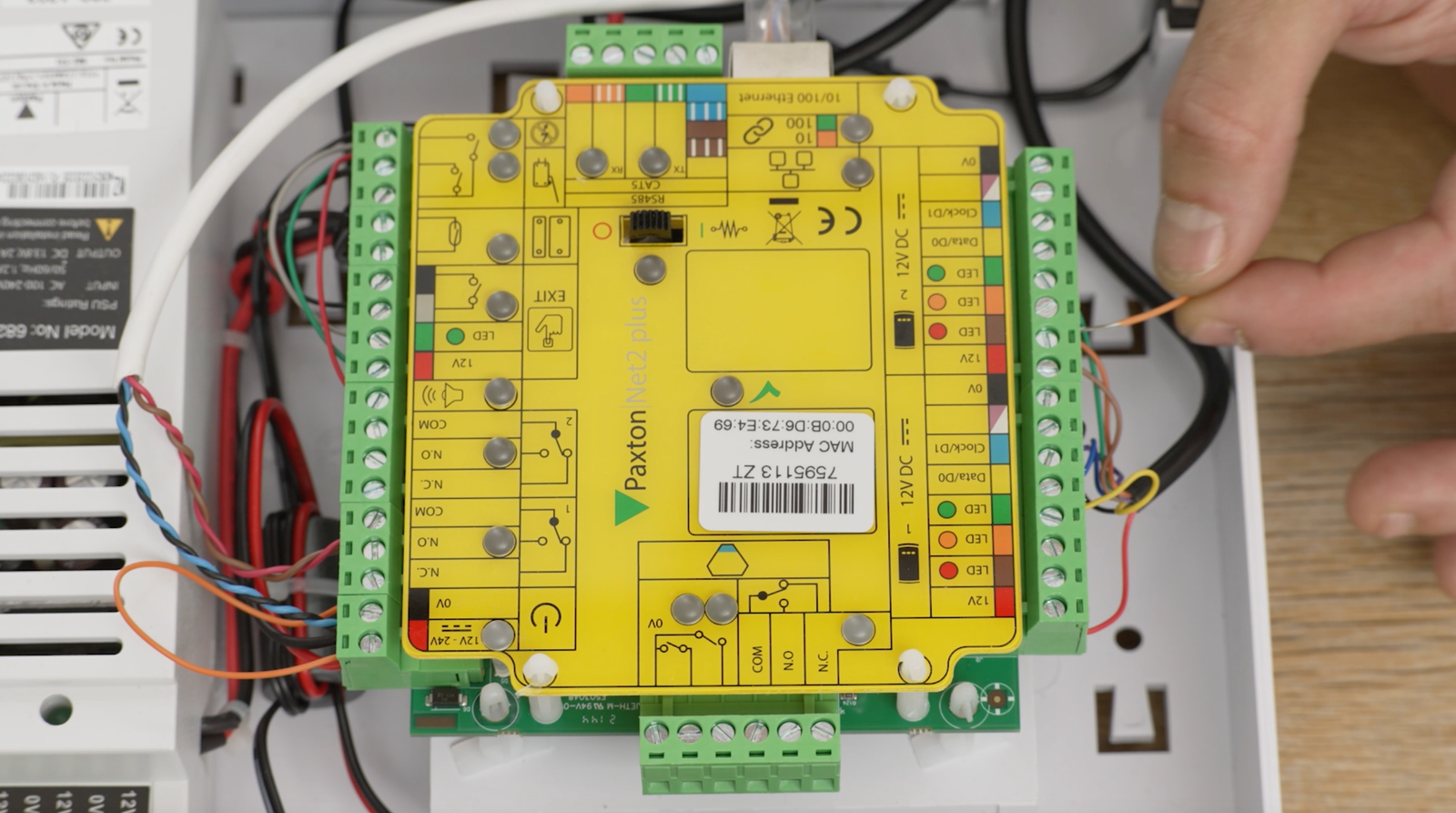
Paxton is one the UK’s leading manufacturers of access control systems, providing access control security solutions for leading businesses across the
Paxton is one the UK’s leading manufacturers of access control systems, providing access control security solutions for leading businesses across the world.
Paxton’s most popular networked access system is the Net2, a software-based access control system. As with all network-based systems, there are a myriad of problems that can occur with the Paxton Net2. We’ve put together a comprehensive fault finding guide to the most common Paxton Net2 access control faults, including:
- Paxton Net2 reader not working
- Green light flashing constantly on Paxton reader – learn more here
- Amber LED light on Paxton Net2 reader not working
- Paxton Net2 power failure alarm – not working – learn more here
- Net2 acu not responding
- Net2 acu beeping
- How to reset / re-book the Paxton Net2 – learn more here
- How to add / remove / bar users from the Net2 system
Use Super Engineer AI to fix your Paxton Net2
If you need help with your Net2 or any technical issue, try Super Engineer – a specialist AI assistant for technicians, trained specifically to fix technical issues.
Super Engineer has been trained on 1000’s of technical instruction manuals, including Paxton, so can easily help you fix your tech problems – in an instant!
It’s FREE to try, so give it a go at www.SuperEngineer.app

Paxton Net2 Reader not working
If you’re Paxton Net2 reader or keypad has a fault, then it’s likely to be one of the following x5 things causing the problem:
- Software settings
- Interference
- Power issues
- Connection issues
- Cable & distance issue
Watch our how-to video to give you a sense of what to look for when fixing your Paxton system, and how to fix it:
Paxton Net2 power / battery failure problem
If you lose power to your Paxton Net2, then it should continue working as the system includes a back-up battery. This battery should last for over 12 hours if not connected to the mains.
If the battery back-up is not working, then it likely to be one of two things:
- An old / faulty battery
- A faulty connection to the battery
Watch our how-to video to give you a sense of what to look for when fixing your Paxton system, and how to fix it:
Green light flashing on Net2 & door won’t close
If a green LED light is constantly flashing on your Paxton Net2 system, this indicates that the door is being held open by one of two things:
- Physical connection: this is most usually a faulty button or two wires shorting / connecting (i.e. a faulty wire)
- Software settings: this is most likely the Net2 software being programmed incorrectly
Watch our how-to video to give you a sense of what to look for when fixing your green light flashing problem on your Paxton system, and how to fix it:
What the LED lights on your Paxton system indicate
If you have a LED light fixed or flashing on your Paxton Net2 access control system, then it is likely to indicate the following:
- Green LED: Green indicates door activity. If it flashes green it means that the door is open.
- Amber LED: Amber indicates connectivity with the Net2 server
- Red LED: Red indicates power connectivity.
Watch our how-to video to give you a sense of what to look for when trouble-shooting your Paxton access control system, and how to fix it:
Still, need help?
Still need help? Try Super Engineer AI to fix your Paxton Net2
If you need help with your Net2 or any technical issue, try Super Engineer – a specialist AI assistant for technicians, trained specifically to fix technical issues.
Super Engineer has been trained on 1000’s of technical instruction manuals, including Paxton, so can easily help you fix your tech problems – in an instant!
It’s FREE to try, so give it a go at www.SuperEngineer.app
If you still need help fixing your access control system, then get in contact with our team to see if we can help you >>